
Laravel Dashboard Laravel Package
spatie/laravel-dashboard
Build beautiful, Livewire-powered dashboards in Laravel. Provides base CSS, dashboard and tile view components, and a Tile model to persist fetched data so tiles can update themselves via polling.
title: Belgian trains tile weight: 8
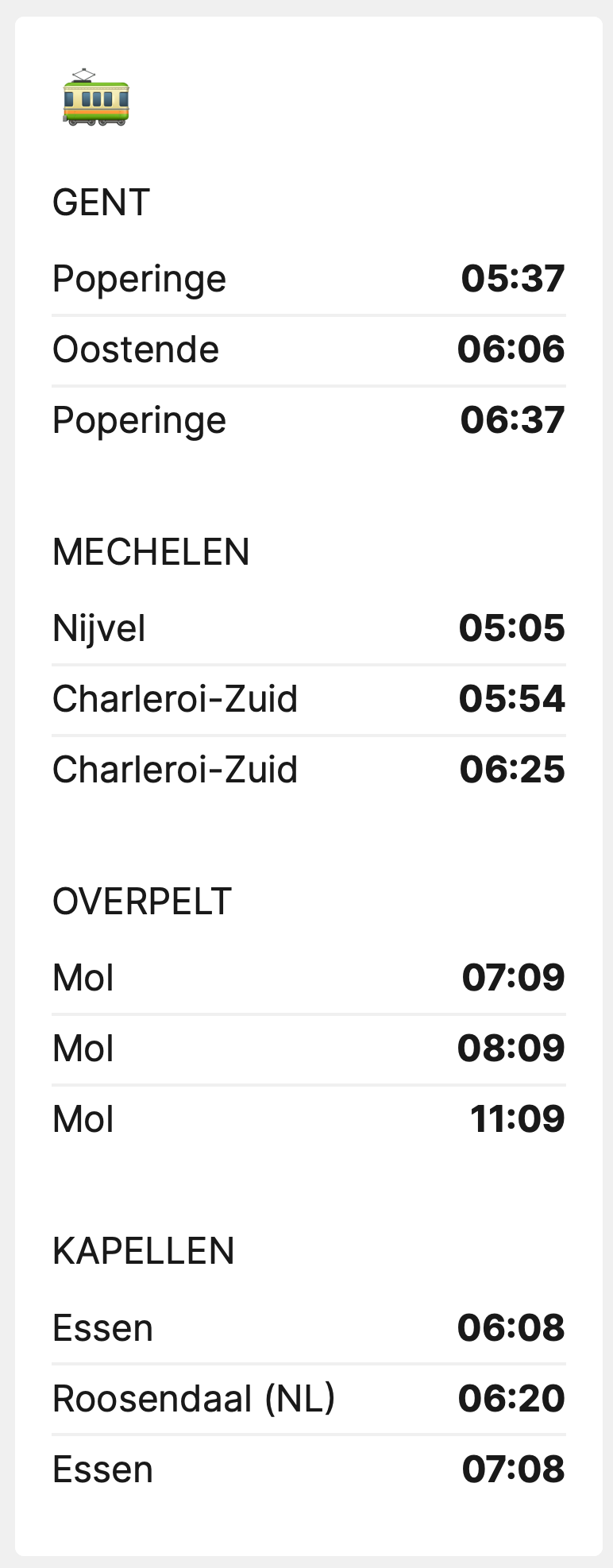
This tile displays the status of trains in Belgium.
Installation
You can install the package via composer:
composer require spatie/laravel-dashboard-belgian-trains-tile
In the dashboard config file, you must add this configuration in the tiles key. The value belgian_trains should be an array of which each value is array with keys departure, destination and label
// in config/dashboard.php

return [
    // ...
    'tiles' => [
        'belgian_trains' => [
            'connections' => [
                [
                    'departure' => 'Antwerpen-Centraal',
                    'destination' => 'Gent-Dampoort',
                    'label' => 'Gent',
                ],
            ],
            'refresh_interval_in_seconds' => 60,
        ],
    ],
];
In app\Console\Kernel.php you should schedule the Spatie\BelgianTrainsTile\FetchBelgianTrainsCommand to run. You can let in run every minute if you want. You could also run is less frequently if you fast updates on the dashboard aren't that important for this tile.
// in app/console/Kernel.php

protected function schedule(Schedule $schedule)
{
    // ...
    $schedule->command(Spatie\BelgianTrainsTile\FetchBelgianTrainsCommand::class)->everyMinute();
}
Usage
In your dashboard view you use the livewire:belgian-trains-tile component.
<x-dashboard>
    <livewire:belgian-trains-tile position="a1:a3" />
</x-dashboard>
Customizing the view
If you want to customize the view used to render this tile, run this command:
php artisan vendor:publish --provider="Spatie\BelgianTrainsTile\BelgianTrainsTileServiceProvider" --tag="dashboard-belgian-trains-tile-views"
How can I help you explore Laravel packages today?