
Bundles Cms Laravel Package
kunstmaan/bundles-cms
Kunstmaan CMS is a full-featured, multilingual CMS built on the Symfony full-stack framework. It offers page and form assembly, versioning, workflow, translation tools, and media management, plus integrations with community bundles.
Administer the robots.txt
robots.txt files?
A web crawler, also known as robot, searches the web to index it's content. A well known example of such a crawler is Google. You can guide these crawlers on your website by providing a robots.txt file. Although respectable web crawlers follow the directives in a robots.txt file, each crawler might interpret the directives differently.
By default, there will be no robots.txt file present when you install the Kunstmaan standard edition bundle. But we made it easy to manage your robots.txt file and the behaviour of robots.
Administer your robots.txt using the admin interface
If you are a site administrator. You can edit your robots.txt file in admin interface by going to settings and by choosing for "Robots" in the sub menu. Make sure you do not have a real robots.txt file in your document root folder if you prefer to use this way of managing your robots.txt.
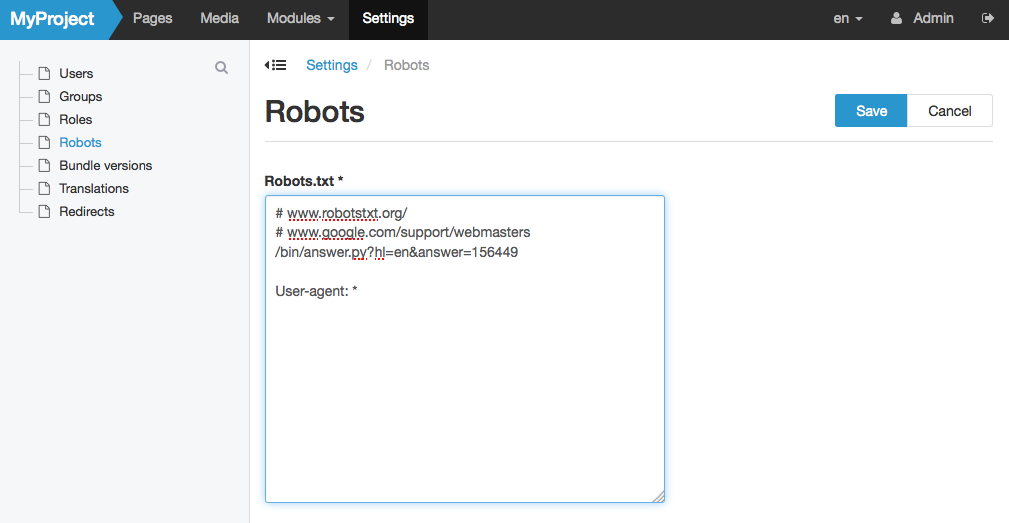
In case you forget to fill in your robots setting, the kunstmaan bundles will fall back to a standard robots.txt configuration that allows access of all robots.
Administer using a robots.txt file
If you do have a robots.txt file in your document root, symfony will use this file to guide robots. You can just Leave the robots.txt field empty.
Robots.txt syntax
Possible keywords inside your configuration:
- User-agent: the name of the robot the following rule applies to, you can use * as a wildcard
- Disallow: the path you want to block, you can use multiples of this line and use * as a wildcard
- Allow: the path of a subdirectory, within a blocked parent directory, that you want to unblock
Some examples could be:
User-agent: *
Disallow: /folder/
Allow: /folder/subfolder/
or
User-agent: *
Disallow: /file.html
Extra information
How can I help you explore Laravel packages today?