Filament Quick Notes Laravel Package
rarq/filament-quick-notes
Filament panel plugin that adds persistent sticky notes to the topbar. Each user can create, edit, color-code, reorder, and manage personal notes without leaving the current page, with staged editing, unsaved-change protection, and multilingual support.
Filament Quick Notes





A FilamentPHP panel plugin that adds a persistent sticky-note system to your admin panel. Users can create, edit, color-code, reorder and manage personal notes directly from the panel topbar — without leaving the page they are working on.
Preview
Features
- 🗒️ Personal sticky notes per authenticated user
- 🎨 Multiple color choices for visual organization
- 🔢 Manual reordering (move up / move down)
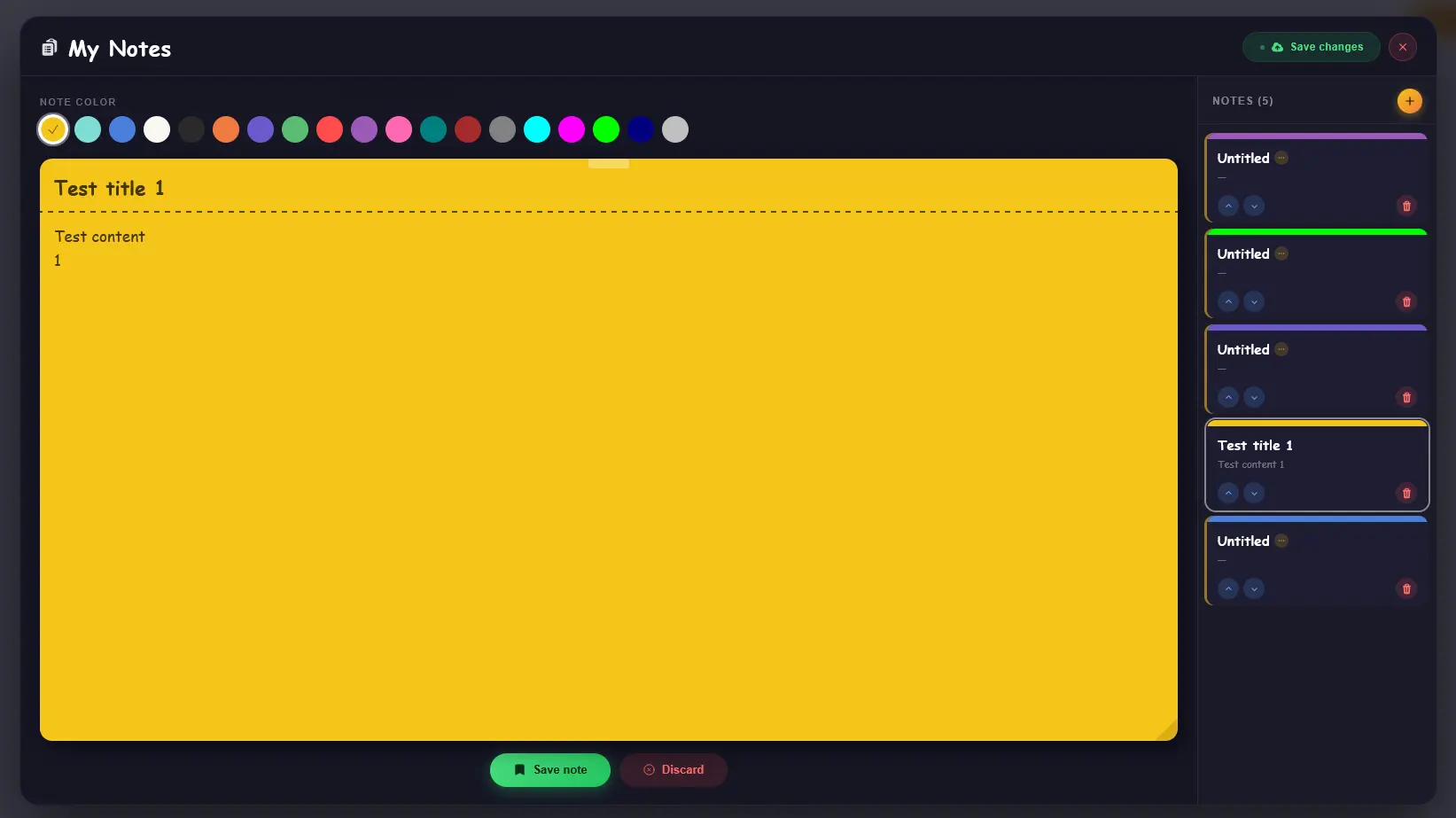
- 💾 Staged editing — preview all changes before saving
- ⚠️ Unsaved-changes guard when closing the panel
- 🗑️ Styled confirmation sub-modals
- 🧩 Polymorphic relation — works with any user model
- 🌐 Multilingual support
Compatibility
| Filament Version | Laravel Version | PHP Version |
|---|---|---|
| v3.x | Laravel 10 | 8.1 – 8.3 |
| v4.x | Laravel 11 | 8.2 – 8.4 |
| v5.x | Laravel 11–12 | 8.2 – 8.5 |
PHP compatibility is determined by the supported Laravel version.
Installation
Install the package via Composer:
composer require rarq/filament-quick-notes
Run the install command:
php artisan filament-quick-notes:install
This will publish the config file, publish and run the migrations.
Setup
1. Register the plugin in your Panel Provider
Open the PanelProvider where you want the Quick Notes button to appear and register the plugin:
use Rarq\FilamentQuickNotes\FilamentQuickNotesPlugin;

$panel->plugins([
    FilamentQuickNotesPlugin::make()
        ->visible(true),
]);
2. Add the trait to your User model
Add the HasFilamentQuickNotes trait to the Eloquent model that represents the authenticated user of your panel:
use Rarq\FilamentQuickNotes\Traits\HasFilamentQuickNotes;

class User extends Authenticatable
{
    use HasFilamentQuickNotes;
}
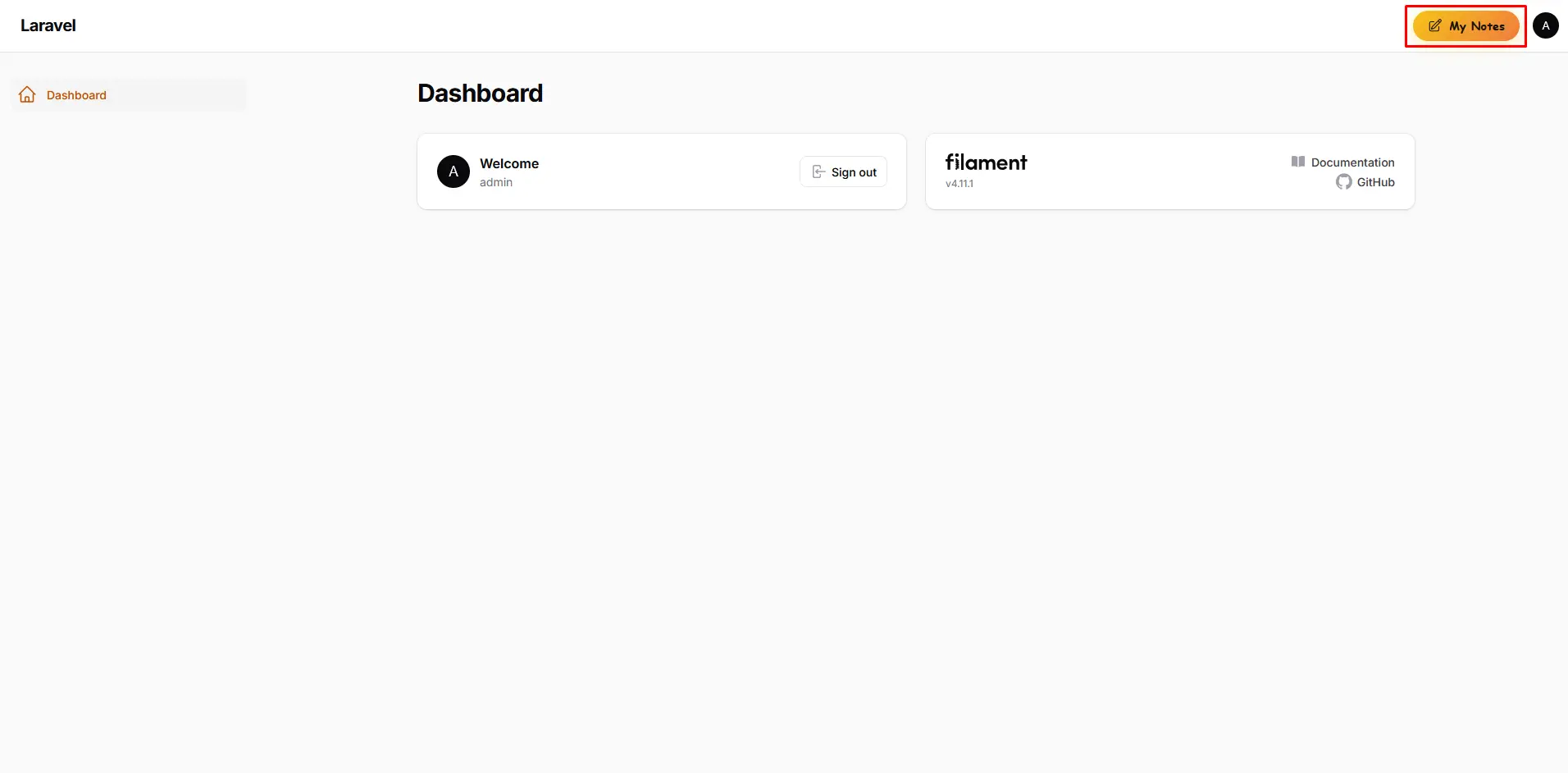
That's all. The Quick Notes button will appear in the panel topbar immediately.
Configuration
After installation, a config file is published to config/filament-quick-notes.php:
<?php

use Filament\View\PanelsRenderHook;
use Rarq\FilamentQuickNotes\Enums\DeletionType;
use Rarq\FilamentQuickNotes\Models\FilamentQuickNote;

return [
    /*
    |--------------------------------------------------------------------------
    | Render hook position
    |--------------------------------------------------------------------------
    |
    | Determines where the Quick Notes button appears inside the Filament panel.
    | Any value from \Filament\View\PanelsRenderHook is valid.
    |
    | Common options:
    |   PanelsRenderHook::GLOBAL_SEARCH_BEFORE  (default — left of the search bar)
    |   PanelsRenderHook::GLOBAL_SEARCH_AFTER
    |   PanelsRenderHook::TOPBAR_START
    |   PanelsRenderHook::TOPBAR_END
    |
    */
    'position' => PanelsRenderHook::GLOBAL_SEARCH_BEFORE,

    /*
    |--------------------------------------------------------------------------
    | Database table name
    |--------------------------------------------------------------------------
    |
    | Override this if the default table name conflicts with your existing schema.
    |
    */
    'table_name' => 'filament_quick_notes',

    /*
    |--------------------------------------------------------------------------
    | Quick Notes model
    |--------------------------------------------------------------------------
    |
    | You may swap in your own model as long as it extends FilamentQuickNote
    | or implements the same interface / fillable attributes.
    |
    */
    'quick_notes_model' => FilamentQuickNote::class,

    /*
    |--------------------------------------------------------------------------
    | Note deletion method
    |--------------------------------------------------------------------------
    | Determines how notes are deleted when the user clicks "Delete".
    | Options:
    |   - DeletionType::SOFT (default) — notes are soft-deleted and can be restored later.
    |   - DeletionType::FORCE — notes are permanently deleted immediately.
    |
    */
    'deletion_type' => DeletionType::SOFT,
];
Plugin Options
| Method | Type | Default | Description |
|---|---|---|---|
visible() |
bool|Closure |
true |
Show or hide the Quick Notes button. Accepts a closure for conditional visibility. |
Conditional visibility example
FilamentQuickNotesPlugin::make()
    ->visible(fn () => auth()->user()?->hasRole('admin')),
How it works
Notes are saved per authenticated user through a polymorphic relation, so the plugin works with any user model — including multi-tenancy setups where different models represent different user types.
Editing follows a two-phase flow:
- Stage — create or modify notes in the panel. Changes are held in memory and reflected in the list immediately, but not yet written to the database.
- Save Changes — a single button persists all staged changes at once. The button is disabled (and visually dimmed) when there is nothing pending.
If a user tries to close the panel with unsaved changes, a warning dialog intercepts the action and asks whether to continue editing or discard.
Contributing
Contributions are welcome! Please open an issue before submitting a pull request.
Credits
License
The MIT License (MIT). Please see License File for more information.
How can I help you explore Laravel packages today?