Weave Code

Php Console Highlighter Laravel Package
php-parallel-lint/php-console-highlighter
Highlight PHP source code in the terminal with readable, colorized syntax. php-console-highlighter works with ConsoleColor and can highlight whole files or snippets—ideal for CLI tools, linters, and test output to quickly spot errors and context.
PHP Console Highlighter





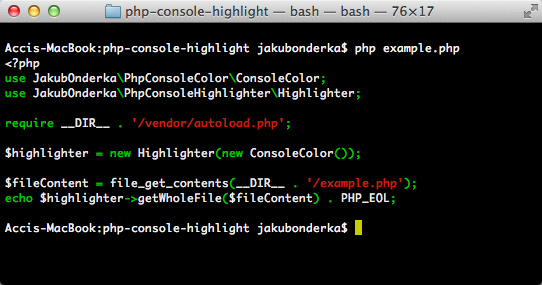
Highlight PHP code in console (terminal).
Example
Install
Just run the following command to install it:
composer require --dev php-parallel-lint/php-console-highlighter:"0.*"
Usage
<?php
use PHP_Parallel_Lint\PhpConsoleColor\ConsoleColor;
use PHP_Parallel_Lint\PhpConsoleHighlighter\Highlighter;

require __DIR__ . '/vendor/autoload.php';

$highlighter = new Highlighter(new ConsoleColor());

$fileContent = file_get_contents(__FILE__);
echo $highlighter->getWholeFile($fileContent);
Weaver
How can I help you explore Laravel packages today?