
Cool Sonata Translation Bundle Laravel Package
coolshop/cool-sonata-translation-bundle
CoolSonataTranslationBundle
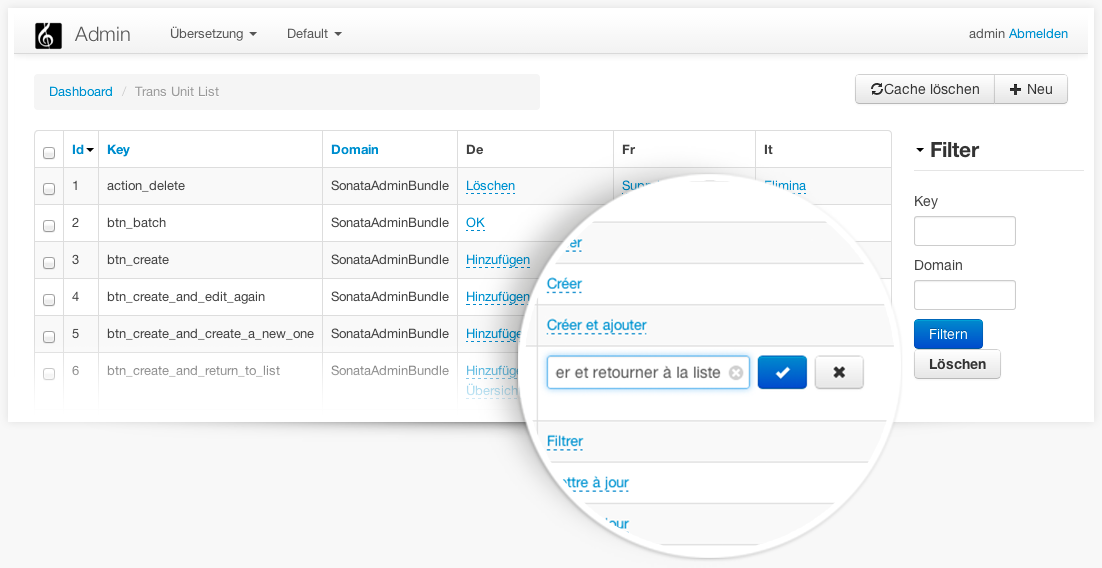
The CoolSonataTranslationBundle is the bundle that manage to handle your Symfony Translations into Database. The integration with Sonata Admin is possible thanks to Ibrows
Installation
Add the following lines in your composer.json:
{
    "require": {
        "coolshop/cool-sonata-translation-bundle" : "^2.0",
    }
}
To start using the bundle, register the CoolSonataTranslationBundle in your application's kernel class:
<php
// app/AppKernel.php
public function registerBundles()
{
    $bundles = array(
        // ...
        new Coolshop\CoolSonataTranslationBundle\CoolSonataTranslationBundle(),
    );
)
Configuration
app/config/config.yml
cool_sonata_translation:
    defaultDomain: messages
    editable:
        mode: inline         # Mode of editable, can be popup or inline
        type: textarea       # Type of input. Can be text|textarea|select|date|checklist and more
        emptytext: Empty     # text to display on empty translations
        placement: top       # ingnored for inline mode
    localeManager: '@cool_sonata_translation.locale_manager.sonatapage' #service that handles the locale available. Could be an array of locale (eg. localeManager: ['en', 'fr', 'es', 'de'])
    driver: orm              # Only ORM available at the moment.
    database:
        entity_manager:      # if not specified will use default. This way you could handle translations with a separate EM.
Usage
Setup the translation table
./app/console doctrine:schema:update --force
In order to have some keys shown up in the admin panel, you have to import the translation files first. This is done through a command:
./app/console cool:translations:import [-c]
This command also has a "-c" so you can clear the database first. might be a bit faster for larger imports if your table is already filled.
Generate dummy translation files or using configuration
./app/console asm:translations:dummy
Since the TranslationLoader bases on files, you'd have to create empty files like "messages.en_US.db" for each language you want to use with your translation database. The files will be placed in app/Resources/translations/*
NOTE: each time you modify translations into DB you have to clear the cache in order to use the new one.
./app/console cache:clear
@TODO: make clear cache possible from admin panel.
Sonata Admin Integration
To include the bundle in the admin dashboard, add group "group.translation" to dashboard
# app/config/config.yml
sonata_admin:
    dashboard:
        groups:
            group.translation:
                label: Translation
                items: ~
That's all folks! Come to say Hi at Coolshop
How can I help you explore Laravel packages today?